Getting started
Live in four steps,all done remotely.
No visit, no hardware to buy. Send us your menu and we do the setting up.
MENU
01Send us your menu
A photo of your printed menu is fine, or a link to the site you have now.
Your menu
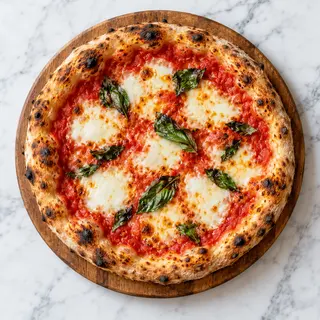 Margherita£9.50
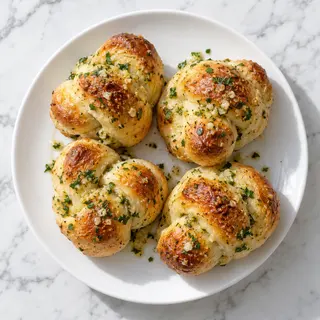 Garlic knots (4)£3.95
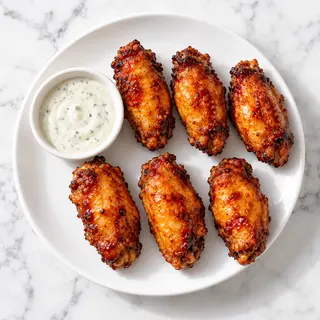 Chicken wings£6.50
littleember.example02We set it all up
Your ordering page, website and QR codes, built from your menu.
- OYQR stickers on the way03
A video call walkthrough
We show you the back office and post your QR stickers to you.
- Little EmberLive
Waiting for the first order
04You say go
Nothing goes live until you say it's right. Put up the stickers and take orders.
What we need from you
- Your menuA photo of the printed menu, a PDF or a link to your current site
- Opening hours and address
- Phone and email
- Photos of the shop and dishes (optional)Phone photos are fine. Until then, we use designed pictures.
- Your logo (optional)
- How you serve: collection, delivery, dine-inFor delivery: postcodes, delivery fee and minimum orderOrdering and Online shop
- Roughly how long food takes to prepareOrdering and Online shop
- A phone, tablet or computer you already have, to see ordersOrdering and Online shop
- Your own printer for kitchen tickets (optional)Ordering and Online shop
- Staff emails, if staff need their own logins (optional)Ordering and Online shop
No hardware to buy, no tech skills needed. We set up the rest.
The start fee and the early-bird offer are on the pricing pageBook a demo
See it with your own menu.
Tell us a little about your restaurant. We’ll get in touch within one working day to arrange a short demo tailored to your menu and the way you work.